You’ve seen Clara answer your calls. Now Clara can text every caller automatically the moment a call ends, with exactly the message you choose.
It’s called Auto Text Follow-Ups, and it’s one of the most-requested features we’ve ever shipped.
Why follow-ups matter more than you think
Missing a call is one thing. Missing the follow-up is where you actually lose the job.
Most callers don’t leave voicemails. They move on. But a text that lands within seconds of a call keeps you front of mind while they’re still deciding who to go with. You don’t have to do anything. Clara handles it the moment the call ends.
Pick the message that fits your business
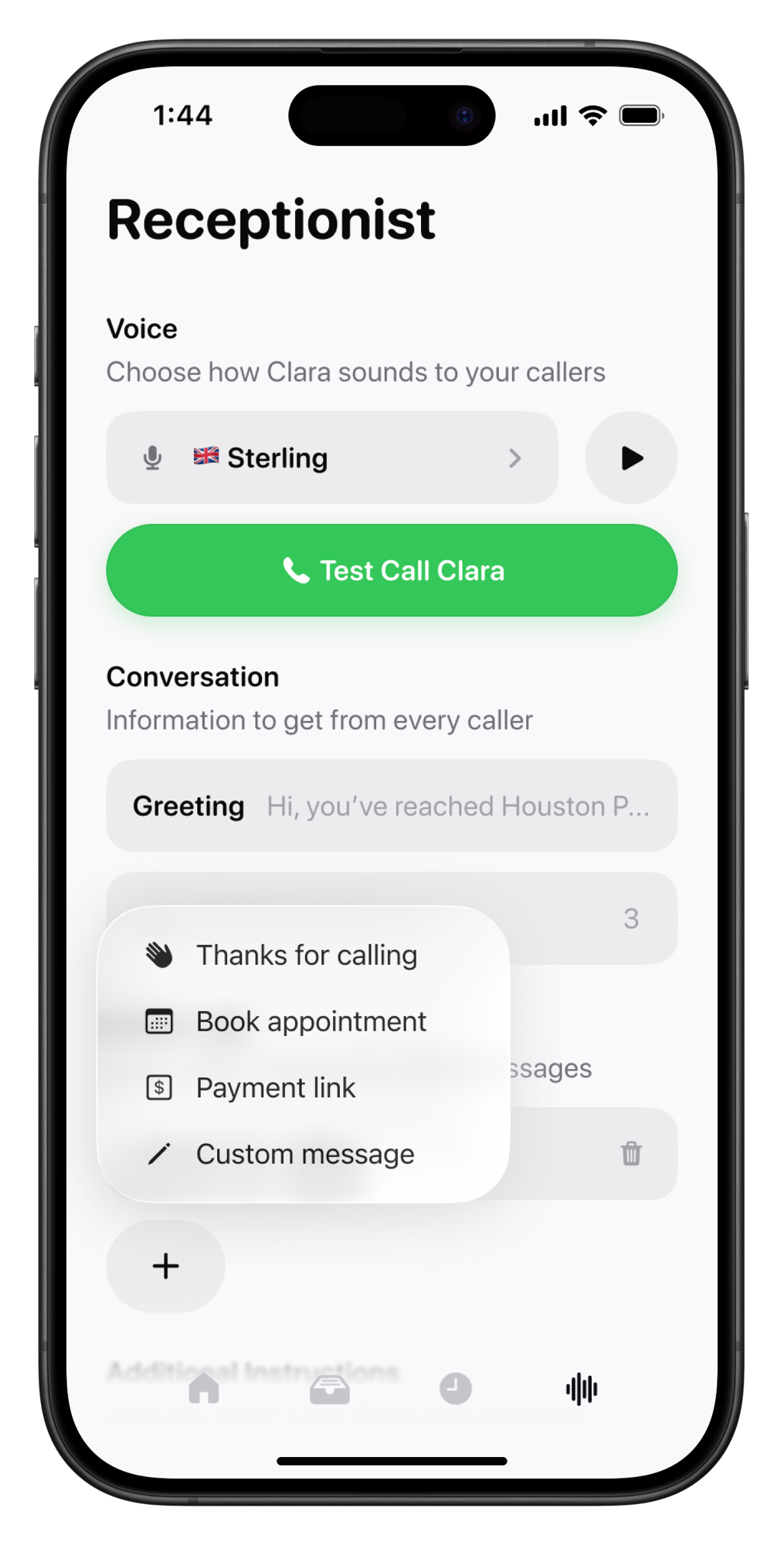
There are four follow-up types to choose from:
Thanks for calling (most popular)
A simple, personal acknowledgement that arrives within seconds of the call ending. Low effort, high impact.
Book an appointment
Clara texts a booking link straight after the call. No back-and-forth, no missed opportunities: the caller can schedule before they’ve even put their phone down.
Payment link
For returning customers or follow-up jobs. Clara sends the link so they can pay without waiting for you to follow up manually.
Custom message
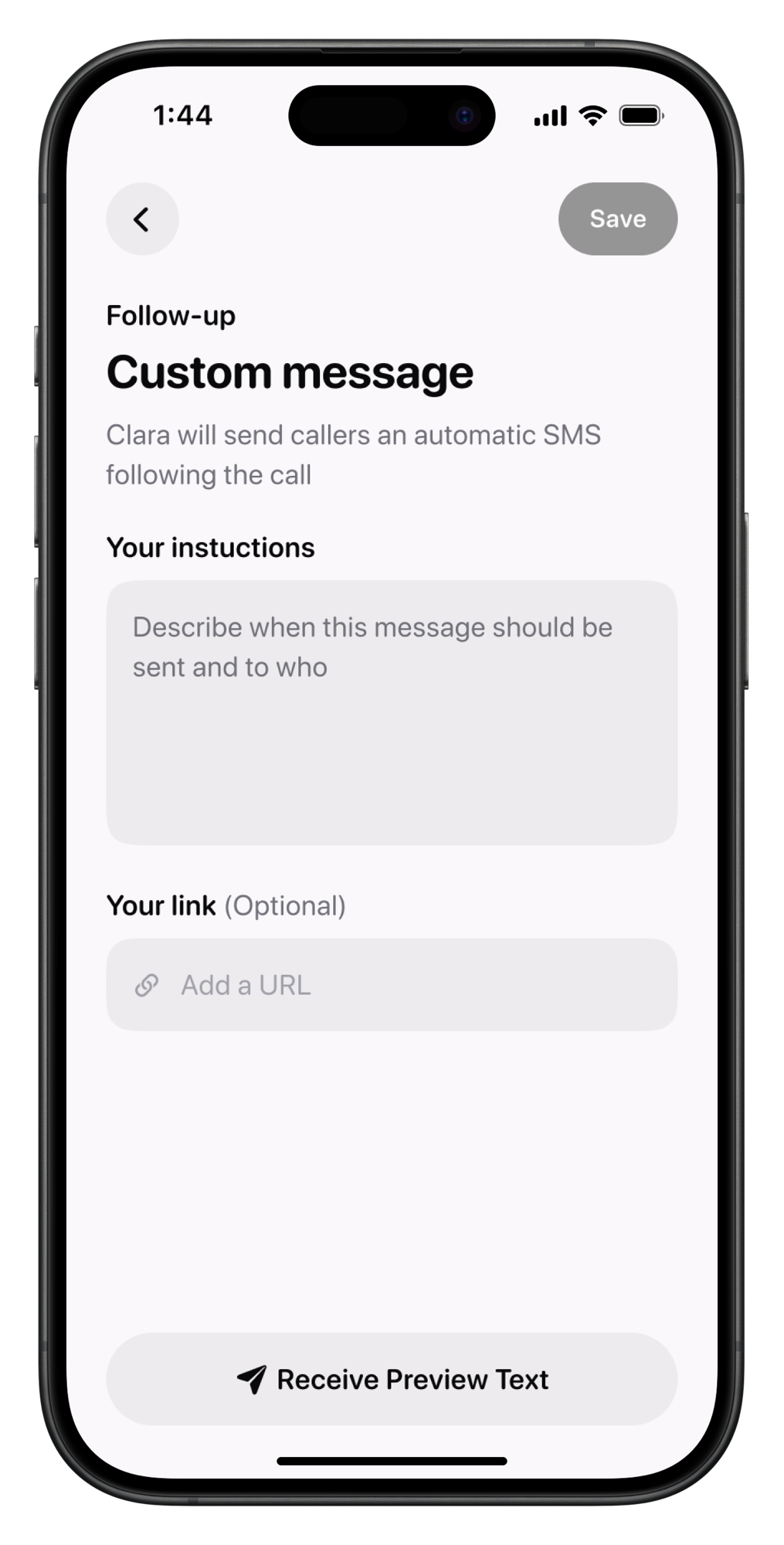
Write anything you want, with any link you’d like to include. Promotions, instructions, intake forms, entirely up to you.
How to set it up in under a minute
1. Open the Clara app
2. Go to Business (bottom right tab), then Text Follow-ups
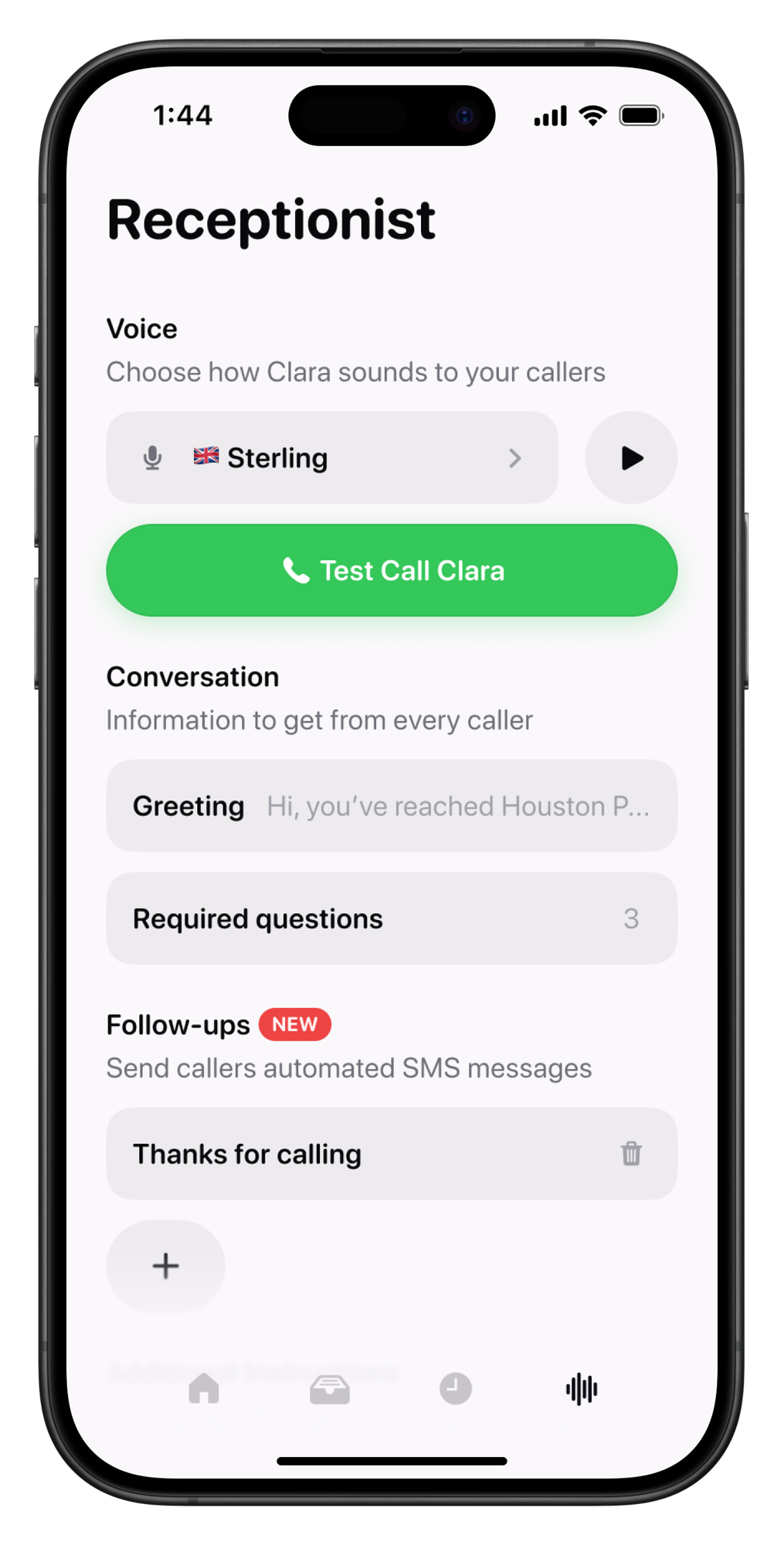
3. Select your follow-up type
4. Add your instructions and link (optional)
That’s it. Every caller Clara speaks to will get your message automatically, from that point on.
The bottom line
You’re already not missing calls. Auto Text Follow-Ups means you’re not missing what comes after, either. It takes less than a minute to set up and works quietly in the background every time Clara picks up.
Ready to activate it? Open the Clara app and head to Text Follow-ups to get started.
Product Updates is our series of short guides on what’s new in Clara and how to get the most out of it.